My Moments
- edit videos into chunks, make interactive with questions (for classroom, but like an elearning course)
- check out udutu, BJs LMS , PLEs, VLEs
- get over SL motion sickness, learn to dance, learn to fly with jet pack
- use QR codes some where at work and see if anyone know what they are
BJ's Moments
-Mlearning
-courses - not everything has to be a course
-scorm is heavy for everyone
Luis Moments
-many still not moving into elearning
-social networking concepts still hard
Angela's Moments
-Education sites in SL
-moving more into elearning
Learner Creation of Content - give points to learners to create more content that they can then use towards other things
Heidi tip
come in one day early to read an article, email a colleague, share some info with someone
2009 Elearing Gathering - back in Orlando March 10
Showing posts with label elearning annual gathering 2008. Show all posts
Showing posts with label elearning annual gathering 2008. Show all posts
Thursday, 17 April 2008

Things I've Learned in My Life So Far - Stefan Sagmeister
Stefan's involvement - design for music, socially responsible design, corporate design, authors
Design for music:
Casa da Musica (sp?) - building is a logo itself, looking at it from various angles. Using software to capture the colour from any image they use these colours plotted on to one of the "various angle shots" and use these as logos for the music, the corp, the president, etc. From Chopin concerts to clubing events to parking garage designs.
Socially responsible design
A group wanting to cut defence budget to education budget. Group is run by corporate presidents.
-inflatable bar charts
-commercial TrueMajortiy.org - pen is mightier than the sword
- cars looking like piggy banks - largest one is the military budget, smallest trailer being towed is education, cost the same as one page add in paper
-"topsy-turvy" bus, similar to the budget
-blimp shopping - still in the works
Corporate design
-heated molded cover that allowed them to show the "power of light" - shot under various lighting conditions
Things I've learned so far.....
- a different quality to ideas that you explore with no pressure
- this must apply to many different roles where creativity exists and needs to exist
(9-3 is client work - the rest is experimental work [ie: google])
- realization that all that a design studio does is about promoting and developing, but that ratio is not right
- clients were willing to allow them to "just be creative", some sense of unlimited freedom. Given the task to design anything for a 6 page spread in magazine.
Designers can just solve a problem from more subjective views, but more and more is becoming boring.
Keeping a diary since he was 12, all of these statements he scribed and took out of it. Then used many of these to create powerful images, billboards, and videos that various places/industries have acquired that match the statements they need to express.
He shared these statements and accompanying images with us:
"Everything I do comes back to me" - other designers tool this and redesigned it as well for other functions.
- second task was a billboard that they could do anything with
"Trying to look good limits my life."
"Everybody thinks they are right." - magazine cover (dueling men peeing into the air to write these words....yes you read that right"
Bali - after the bombing in the night club where 200 people lost their lives, was more than that because most people lost their jobs as well because the tourism was completely stopped and gone. Their response was no retaliation, however all responsible for the act have been arrested.
"Helping other people helps me"
"Over time I get used to everything and start taking it for granted."
"Complaining is silly. Either act or forget." - as billboard faded and there was nothing left, No more complaining.
"Worrying solves nothing"
"Everybody who is honest is interesting."
"Keeping a diary supports personal development"
"If I want to explore a new direction professionally it is helpful to try it out for myself first." - a year of discovery without clients
"Assuming is stifling"
"Material luxuries are best enjoyed in small doses"
"Thinking life will be better in the future is stupid I have to live now"
"Starting a charity is surprisingly easy"
"Being not truthful works against me" - spider web
"Low expectations are a good strategy" - Miami beach
"Money does not make me happy" - wrapped a casino linz with this,
"Self confidence produces fine results"
Website - Things I've Learned in my Life .com
"Having guts always works out for me." - I always have to talk my self into having the never to do stuff.
Design for music:
Casa da Musica (sp?) - building is a logo itself, looking at it from various angles. Using software to capture the colour from any image they use these colours plotted on to one of the "various angle shots" and use these as logos for the music, the corp, the president, etc. From Chopin concerts to clubing events to parking garage designs.
Socially responsible design
A group wanting to cut defence budget to education budget. Group is run by corporate presidents.
-inflatable bar charts
-commercial TrueMajortiy.org - pen is mightier than the sword
- cars looking like piggy banks - largest one is the military budget, smallest trailer being towed is education, cost the same as one page add in paper
-"topsy-turvy" bus, similar to the budget
-blimp shopping - still in the works
Corporate design
-heated molded cover that allowed them to show the "power of light" - shot under various lighting conditions
Things I've learned so far.....
- a different quality to ideas that you explore with no pressure
- this must apply to many different roles where creativity exists and needs to exist
(9-3 is client work - the rest is experimental work [ie: google])
- realization that all that a design studio does is about promoting and developing, but that ratio is not right
- clients were willing to allow them to "just be creative", some sense of unlimited freedom. Given the task to design anything for a 6 page spread in magazine.
Designers can just solve a problem from more subjective views, but more and more is becoming boring.
Keeping a diary since he was 12, all of these statements he scribed and took out of it. Then used many of these to create powerful images, billboards, and videos that various places/industries have acquired that match the statements they need to express.
He shared these statements and accompanying images with us:
"Everything I do comes back to me" - other designers tool this and redesigned it as well for other functions.
- second task was a billboard that they could do anything with
"Trying to look good limits my life."
"Everybody thinks they are right." - magazine cover (dueling men peeing into the air to write these words....yes you read that right"
Bali - after the bombing in the night club where 200 people lost their lives, was more than that because most people lost their jobs as well because the tourism was completely stopped and gone. Their response was no retaliation, however all responsible for the act have been arrested.
"Helping other people helps me"
"Over time I get used to everything and start taking it for granted."
"Complaining is silly. Either act or forget." - as billboard faded and there was nothing left, No more complaining.
"Worrying solves nothing"
"Everybody who is honest is interesting."
"Keeping a diary supports personal development"
"If I want to explore a new direction professionally it is helpful to try it out for myself first." - a year of discovery without clients
"Assuming is stifling"
"Material luxuries are best enjoyed in small doses"
"Thinking life will be better in the future is stupid I have to live now"
"Starting a charity is surprisingly easy"
"Being not truthful works against me" - spider web
"Low expectations are a good strategy" - Miami beach
"Money does not make me happy" - wrapped a casino linz with this,
"Self confidence produces fine results"
Website - Things I've Learned in my Life .com
"Having guts always works out for me." - I always have to talk my self into having the never to do stuff.
Wednesday, 16 April 2008
My Favourite Part of the AG08
Okay...go on....guess....
For a bunch of people immersed in doing everything and all online, digitally, and virtually the one thing I kept hearing over and over (and reading on blogs) was how great it was to meet face-to-face. This too was my favourite part of the whole experience.
The conference generates a billion ideas. Some to implement right away. Some that will take a while. Some that will never see the light of day. A few that will remain dreams for many of us to attain. It's amazing to wonder what the collective genius of the 700 (or so) participants will dream up and create within the next year.
However, as I said above, there is still something unique and special about connect with people one-on-one. It's different then reading their thoughts on blogs. I also find it solidifies and brings greater trust and meaning into the words you read from their posts.
I met a few new people this year, but more so connected with people I have been reading, following, and e-connecting. Some great people I suggest you too tap into for knowledge, guidance, and wisdom are B.J. Shone (eLearning Weekly), Gary Hegenbart (eLearning Development News), Angela White (A Nice Cup of Lizard), Melissa Chiaramonti (elearningguild-ru), and as always Brent Schlenker (Corporate eLearning Strategies and Development). As I said before, with 700 participants here I'd love to list them all, but these are these people I interacted with the most.
Brent's last presentation today started off interesting in that he "knew" everyone in the room (mostly virtually). He joked that he didn't need to do the presentation because we all already new about his topic. Funny thing is for as much as we all know; we continue to learn from one another even on topics in which we are quite skilled. This is the beauty of these conferences and the virtual networking that we do outside of the conference. We feed each other's knowledge continuously and thereby grow and develop our collective genius. How fun is that?!?
I'm here until the end of the conference, but wanted to take this time to thank all the people (Bob Wood, Sandra Sousa, Richard Wilkinson, and the other Bob [sorry I missed your card during the exchange]) that took the time to teach me more this year. It's been another invaluable experience. Hope to see you all again online and in the future at more conferences.
For a bunch of people immersed in doing everything and all online, digitally, and virtually the one thing I kept hearing over and over (and reading on blogs) was how great it was to meet face-to-face. This too was my favourite part of the whole experience.
The conference generates a billion ideas. Some to implement right away. Some that will take a while. Some that will never see the light of day. A few that will remain dreams for many of us to attain. It's amazing to wonder what the collective genius of the 700 (or so) participants will dream up and create within the next year.
However, as I said above, there is still something unique and special about connect with people one-on-one. It's different then reading their thoughts on blogs. I also find it solidifies and brings greater trust and meaning into the words you read from their posts.
I met a few new people this year, but more so connected with people I have been reading, following, and e-connecting. Some great people I suggest you too tap into for knowledge, guidance, and wisdom are B.J. Shone (eLearning Weekly), Gary Hegenbart (eLearning Development News), Angela White (A Nice Cup of Lizard), Melissa Chiaramonti (elearningguild-ru), and as always Brent Schlenker (Corporate eLearning Strategies and Development). As I said before, with 700 participants here I'd love to list them all, but these are these people I interacted with the most.
Brent's last presentation today started off interesting in that he "knew" everyone in the room (mostly virtually). He joked that he didn't need to do the presentation because we all already new about his topic. Funny thing is for as much as we all know; we continue to learn from one another even on topics in which we are quite skilled. This is the beauty of these conferences and the virtual networking that we do outside of the conference. We feed each other's knowledge continuously and thereby grow and develop our collective genius. How fun is that?!?
I'm here until the end of the conference, but wanted to take this time to thank all the people (Bob Wood, Sandra Sousa, Richard Wilkinson, and the other Bob [sorry I missed your card during the exchange]) that took the time to teach me more this year. It's been another invaluable experience. Hope to see you all again online and in the future at more conferences.
Scanning the Globe, Connecting your Digital World to the World Around You - Brent Schlenker
Using QR Codes, semacode, shotcode, colorcode
Will take off in North America more so once we have more apps & phones using them - but still waiting to learn applications for elearning. This is new, up & coming. There are many different types of codes and not one yet is the fore runner to what will come forward as the best or most useful one.
These codes are quite prevalent in Japan.
QR - Quick Respone Codes
cellphone uses the camera that is has built in. Any size. Centre within screen. The QR code may take you to a web site, send you a text message, many different things.
The QRcode holds much more information because it is 2D
Here is a QR code for my site: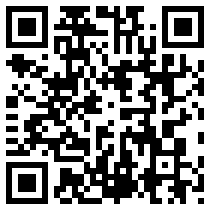
Here is a data code (Nokia) for my site:
Scanlife - is a free download application or Kawya.
Something else in the cluster of tools that we can begin to utilize more and more often for elearning or for further information. (wine labels, food wrappers - contests, nutritional information)
Qrcode.org - standards on how to create, original intent was for shipping and handling in that they can be partially destroyed (on labels for example) yet the data will still come through as opposed to bar codes.
Also called 2d codes, QRcodes are one example of these standards.
Brent's 2d Barcode Manifesto
2d barcodes potential limited only by imagination
mobile devices will define the game
readers integrated into the device
free barcode generators
avoiding fragmentation: emergence of global de-fracto standards
avoiding patent wars
avoiding the "tragedy of anticommons" (too many out there becomes too much of a good thing)
Data Matrix & QR Code emerge as standars (so far..)
unleashing user-driven innovation
enabling 3rd party innovation
Sometimes you should be able to hold up a code to your webcam and scan the code as well.
Wanting eLearning to be more on the fore front of many of these technologies and this could possibly be one of these tools that we need to explore and start learning and developing.
These can greatly lower the barriers to gathering more information - (having to type urls on phones, small buttons, double pressing, everyone all ready has a phone - no need to buy more equipment)
Will take off in North America more so once we have more apps & phones using them - but still waiting to learn applications for elearning. This is new, up & coming. There are many different types of codes and not one yet is the fore runner to what will come forward as the best or most useful one.
These codes are quite prevalent in Japan.
QR - Quick Respone Codes
cellphone uses the camera that is has built in. Any size. Centre within screen. The QR code may take you to a web site, send you a text message, many different things.
The QRcode holds much more information because it is 2D
Here is a QR code for my site:
Here is a data code (Nokia) for my site:
Scanlife - is a free download application or Kawya.
Something else in the cluster of tools that we can begin to utilize more and more often for elearning or for further information. (wine labels, food wrappers - contests, nutritional information)
Qrcode.org - standards on how to create, original intent was for shipping and handling in that they can be partially destroyed (on labels for example) yet the data will still come through as opposed to bar codes.
Also called 2d codes, QRcodes are one example of these standards.
Brent's 2d Barcode Manifesto
2d barcodes potential limited only by imagination
mobile devices will define the game
readers integrated into the device
free barcode generators
avoiding fragmentation: emergence of global de-fracto standards
avoiding patent wars
avoiding the "tragedy of anticommons" (too many out there becomes too much of a good thing)
Data Matrix & QR Code emerge as standars (so far..)
unleashing user-driven innovation
enabling 3rd party innovation
Sometimes you should be able to hold up a code to your webcam and scan the code as well.
Wanting eLearning to be more on the fore front of many of these technologies and this could possibly be one of these tools that we need to explore and start learning and developing.
These can greatly lower the barriers to gathering more information - (having to type urls on phones, small buttons, double pressing, everyone all ready has a phone - no need to buy more equipment)
Second Life - Alan Levine
hetemeel.com - Einstein image with any text on chalk board behind him
Presentation will be in slideshare
Virtual worlds - been around for a while, graphics better, virtual worlds are international, video better, computer better, critical mass of people now doing it more and more, more games, more collaboration
Habbo Hotel - Had 7.5 million active users in 2000, Second Life 500,000 in 2003
Many more now in based on tons of children products.
Federation of American Scientists are trying to learn, track, list features of these various virtual wolds
Gartner Groups - says by 2011 80 percent of active internet users will have a Second Life
Levine's Law
START WITH THE &*#& DEMO
Demo:
his org. built on a 64x64 land, a virtual class room. Query in SL do we build real life items or fantasy. Hold a class on a cloud.
You can walk around for hours in SL and not actual run into anyone.
People spend much time and money setting up their avatars. Important though in that it identifies you and what you like.
250 Lindens = 1 real dollar
Use your Lindens to buy real things. Creates a virtual economy as well. Those that can build well can sell their items.
3d shapes are primitive shapes. Apply graphics to these to make them look like other items. All building tools are within the world. Their are free class to learn how to build and scripts that you can apply to them so they become interactive when you interact with them.
10% of people tend to represent them selves as a different gender. Lots of non-human avatars are created. Appreciate it more by getting in, trying, and learning.
"Get a First Life" - parody on this
FoDS - Field of Dream Syndrome - building something nice doesn't' necessarily mean people will access it. It is more then just creating. You can have rich interactions/learning/social interactions without owning any land/items.
Where do people have the time to interact/do this?
Henry Jenkins - South By SouthWest Conference 2008
- what's wrong with America? Bright articulate people are going in creating this content. What can we do to harness the creative & talent energy that these people have. As we grow into greater knowledge collectives we need to grow and adapt to these more. You don't get a user's manual in SL, you need to go in learn on your own, get feedback from a community. They don't get this opportunity at work, but use work so that they can afford to be creative outside in their private lives.
The Skeptics
The Gamer - the graphics suck (okay, but not like new PS3 kind of games), there's nothing to do (no goals, no tasks, the things that happen in SL are because of what you find around to do)
The Fearful - there are strange things that happen in there, you need a good computer, a good internet connection, you need to learn how to walk, talk, dress. It took you 18 years to really become a person in real life, but want it to happen in 18 seconds online
The Boss - How do I make money? - not the place for every type of training, but maybe for simulations and virtual collaboration.
The Traditionalist - I can do that in a chat room? - need to find out more what their interests are
http://www.nmc.org/horizon - looking at 1-2 year horizon, 3-4 years, 5 an beyond (2006 report) Launched and exploration into SL. http://sl.nmc.org/2006/06/12/seriously-engaging-movie
http://sl.mmc.org/2006/07/04/third-time-charm (NASA - lift over, people in room you are now sharing the experience with, remembering old launches, learning from one another, being in a social environment with other people that share a similar interest)
NMC Campus Observer
- have hosted 4 conferences in the virtual world.
You can hire people to go out to design your islands/areas for your space that you wish to design. NMC Virtual Worlds creates these for others. Professional networks can go through this.
"Second Life for Dummies"
Behind every avatar is a real person. During a survey of educators - there is a real feel of embarrassment. People have real reactions to cartoon images of themselves.
couple thousand to invest in you own island. Some places will rent out their space to you.
It is a cartoon world, but in the same sense we react to what we seen within the SL in a very real way (ie: fear snakes).
There is a voice client within SL with no lag time or delay.
Landmarks act as book marks.
Do you need to go to specific places at specific times to get to educational opportunities out of it?
-currently yes, but is is growing and becoming more and more diverse each month.
Many activities are scheduled and are rescheduled to explore. It is all still relatively "Brand New".
Virtual Hallucinations - designed to give you the sense of what it is like to have a mental illness
How do you find out what events are happening and occuring? - Second Life.com has an events calendar.
in the eduation realm - secondlife educator listserv
ie: Daden.co.uk (shows real planes coming into LAX) NOAA
interactive weather maps
second earth - explore earth
Rumsey map collection
You can set up you islands to limit you can come in to your island. You can not really set them up to leave your islands.
Note - I still got motion sick watching the presentation (the spinning of the screen gets to me).
Presentation will be in slideshare
Virtual worlds - been around for a while, graphics better, virtual worlds are international, video better, computer better, critical mass of people now doing it more and more, more games, more collaboration
Habbo Hotel - Had 7.5 million active users in 2000, Second Life 500,000 in 2003
Many more now in based on tons of children products.
Federation of American Scientists are trying to learn, track, list features of these various virtual wolds
Gartner Groups - says by 2011 80 percent of active internet users will have a Second Life
Levine's Law
START WITH THE &*#& DEMO
Demo:
his org. built on a 64x64 land, a virtual class room. Query in SL do we build real life items or fantasy. Hold a class on a cloud.
You can walk around for hours in SL and not actual run into anyone.
People spend much time and money setting up their avatars. Important though in that it identifies you and what you like.
250 Lindens = 1 real dollar
Use your Lindens to buy real things. Creates a virtual economy as well. Those that can build well can sell their items.
3d shapes are primitive shapes. Apply graphics to these to make them look like other items. All building tools are within the world. Their are free class to learn how to build and scripts that you can apply to them so they become interactive when you interact with them.
10% of people tend to represent them selves as a different gender. Lots of non-human avatars are created. Appreciate it more by getting in, trying, and learning.
"Get a First Life" - parody on this
FoDS - Field of Dream Syndrome - building something nice doesn't' necessarily mean people will access it. It is more then just creating. You can have rich interactions/learning/social interactions without owning any land/items.
Where do people have the time to interact/do this?
Henry Jenkins - South By SouthWest Conference 2008
- what's wrong with America? Bright articulate people are going in creating this content. What can we do to harness the creative & talent energy that these people have. As we grow into greater knowledge collectives we need to grow and adapt to these more. You don't get a user's manual in SL, you need to go in learn on your own, get feedback from a community. They don't get this opportunity at work, but use work so that they can afford to be creative outside in their private lives.
The Skeptics
The Gamer - the graphics suck (okay, but not like new PS3 kind of games), there's nothing to do (no goals, no tasks, the things that happen in SL are because of what you find around to do)
The Fearful - there are strange things that happen in there, you need a good computer, a good internet connection, you need to learn how to walk, talk, dress. It took you 18 years to really become a person in real life, but want it to happen in 18 seconds online
The Boss - How do I make money? - not the place for every type of training, but maybe for simulations and virtual collaboration.
The Traditionalist - I can do that in a chat room? - need to find out more what their interests are
http://www.nmc.org/horizon - looking at 1-2 year horizon, 3-4 years, 5 an beyond (2006 report) Launched and exploration into SL. http://sl.nmc.org/2006/06/12/seriously-engaging-movie
http://sl.mmc.org/2006/07/04/third-time-charm (NASA - lift over, people in room you are now sharing the experience with, remembering old launches, learning from one another, being in a social environment with other people that share a similar interest)
NMC Campus Observer
- have hosted 4 conferences in the virtual world.
You can hire people to go out to design your islands/areas for your space that you wish to design. NMC Virtual Worlds creates these for others. Professional networks can go through this.
"Second Life for Dummies"
Behind every avatar is a real person. During a survey of educators - there is a real feel of embarrassment. People have real reactions to cartoon images of themselves.
couple thousand to invest in you own island. Some places will rent out their space to you.
It is a cartoon world, but in the same sense we react to what we seen within the SL in a very real way (ie: fear snakes).
There is a voice client within SL with no lag time or delay.
Landmarks act as book marks.
Do you need to go to specific places at specific times to get to educational opportunities out of it?
-currently yes, but is is growing and becoming more and more diverse each month.
Many activities are scheduled and are rescheduled to explore. It is all still relatively "Brand New".
Virtual Hallucinations - designed to give you the sense of what it is like to have a mental illness
How do you find out what events are happening and occuring? - Second Life.com has an events calendar.
in the eduation realm - secondlife educator listserv
ie: Daden.co.uk (shows real planes coming into LAX) NOAA
interactive weather maps
second earth - explore earth
Rumsey map collection
You can set up you islands to limit you can come in to your island. You can not really set them up to leave your islands.
Note - I still got motion sick watching the presentation (the spinning of the screen gets to me).
Moodle Goes Corporate: Leveraging Open Source - Michelle Moore
I do not use Moodle, but am interested in finding out more about it, especially with my LMS issues that are currently happening.
Scorm issue - udutu - what they builds works in moodle.
Ease of use, number of features, help community all makes Moodle an excellent tool. Current version 1.9.
Has a new gradebook, more functionality.
Is opensource - anyone can work on it (a developer who works on it), it is free, your developments are requested to be shared if they are not specific to your org., code is open for programmers, full flexibility, full power, development - volunteer work often, many are just passionate in continuing to develop and make it better (programming, documenting, suggestions, needs, etc).
-free redistribution
-access to source code
-allows modifications
-no discrimination
-no warranties
Disadvantages/Myths
-reputation
-ongoing efforts, been around for a while (2001)
-standards, scorm others
-support (commercial/community)
-version (still changing)
-documentation
http://wwwoss-watc.ac.uk/resoruces/tips.xml
Used in 41,902 sites and 196 countries
420,000 community members
http://moodle.org/stas
moodle.com - commercial support
moodle.org - community support (people are very helpful, supportive, and kind)
download.moodle.org (latest version) - including laptop version
docs:
docs.moodle.org (wiki - including practical advice)
tracker.moodle.org (tracking bugs and feature requests - developers keep track of and fix
google manuals
moodle books - William Rice - 2008, Jason Cole 2007
docs.moodle.org/en/Case_for_Moodle /Top_10_Moodle_myths
300+ extra plugins out there
Features:
Explore - moodle19.remote-learner.net
click teach and trainer development
click exploring moodle modules
Tools (default)
text page template - single page
web page - uses html editor - single page (can use Dreamweaver and import in or copy in)
book module (multipage creator)
link to a file - any electronic file
link to a website - any url
display a directory - collection of files
SCORM - learning content packages
Communication tools (default)
(people learn best when they can interact - many tools built in for this)
chat - synchronous, transcription
forum - asynchronous (Suburu is using this for sales discussions) - not threads
blog - attached to profiles, but no comments
messaging - one-to-one across site (IM within framework of moodle) (can only attach multiple files by zipping them)
Can these items be turned on and off - yes is Blogs, messaging, chats (not forums). - on a course by course bases
email within courses - no but messaging yes, stays with site, not course specific. Only use their chat if the user is deleted from the site.
Assessment tools (default)
-assignments - learners submit work or files (1.7 version - multiple files)
- choice - multiple choice questions/poll
- survey - research-based; prepared questions (prepopulated with questions, very few use these) - there is a plug in see lower in post
- lesson - present and assess simultaneously (questions, flash cards)
- quiz - online quiz tool (most popular module, t/f, multiple choice, essay, short answer, calculated questions - nice stat knowledge on how students answered and if right), limits (not heard of yet, but not many test over 100 questions, yes will let you import from a variety of question banks)
(anywhere you have access to the html editor you can put in flash, video, etc)
-workshop - facilitates peer review (can be sent around and shared with other students) - perhaps useful for 360 evaluations
(supports single sign-on - Activity Directory, keep up-to-date? as long as a database gets set up this can be done - Jonathan look to for help)
Open University in UK 100,000+ users
-database - record collection tool
- glossary - dictionary, faq, encyclopedia - automatically linked to the word when it shows up within your course, - does not have to be soley teacher created - students can help develop as well (approval process by teacher can be turned on)
- wiki (ie: history of company)
***instruction tends to be more flat. Everything is laid out on the 1st page. You can hide an reveal items (ie: week by week - 1 intro, 2 - module one)
LMS or CMS or LCMS
can dump content in, can get tracking, can get reports (lcms - tags, authoring, etc)
Can you tag what you build in moodle? - no
Integration with Alfresco - you can tag and version control with it. One tool does not often do everything.
Customizing Moodle (from small to large this occurs)
-themes, language pack changes
-modules and plugins, integrations
-significant, individualized modifications
1.9 has a transcript feature - but moodle does not email out to the student it's time to take a course
learner centric and course centric
themes
demo.moodle.org (default)
communication.wcupa.net
speclass.org
moodle.org.mod/data/view.php?d=13&rid=319
and
certificate
=614
integrations
Drupal.com
Alfresco.com
more on handouts from the eLearning Guild.
Open University
www.open.ac.uk/openlearn/home.lphp
www.excelhighschool.com
Michelle Moore - michelle@remote-learner.net
Scorm issue - udutu - what they builds works in moodle.
Ease of use, number of features, help community all makes Moodle an excellent tool. Current version 1.9.
Has a new gradebook, more functionality.
Is opensource - anyone can work on it (a developer who works on it), it is free, your developments are requested to be shared if they are not specific to your org., code is open for programmers, full flexibility, full power, development - volunteer work often, many are just passionate in continuing to develop and make it better (programming, documenting, suggestions, needs, etc).
-free redistribution
-access to source code
-allows modifications
-no discrimination
-no warranties
Disadvantages/Myths
- there's no support - their are partners around the world
- it's totally free - if you are going to implement it and implement it well you will need to pay for hosting, training, support, commitment to making it work, save on no licencing fees - but outsourcing support
- low band width - functions well (depends on file sizes, but developed out of Australia)
- not secure - depends on the module you use, security by design - lots of users are looking at it and keeping it updated
- poor documentation -
- no guarantees of continued development - you own what version you have. If it shuts down you don't lose what you have, the large community of developers will continue to build it
- no guarantees of quality - again based on the community
Advantages
- software free
- allows modifications
- community development
- community support - working with every other user helps you to connect with lots of people for help
- escape vendor lock-in
- development not dependent on marketing
-reputation
-ongoing efforts, been around for a while (2001)
-standards, scorm others
-support (commercial/community)
-version (still changing)
-documentation
http://wwwoss-watc.ac.uk/resoruces/tips.xml
Used in 41,902 sites and 196 countries
420,000 community members
http://moodle.org/stas
moodle.com - commercial support
moodle.org - community support (people are very helpful, supportive, and kind)
download.moodle.org (latest version) - including laptop version
docs:
docs.moodle.org (wiki - including practical advice)
tracker.moodle.org (tracking bugs and feature requests - developers keep track of and fix
google manuals
moodle books - William Rice - 2008, Jason Cole 2007
docs.moodle.org/en/Case_for_Moodle /Top_10_Moodle_myths
300+ extra plugins out there
Features:
Explore - moodle19.remote-learner.net
click teach and trainer development
click exploring moodle modules
Tools (default)
text page template - single page
web page - uses html editor - single page (can use Dreamweaver and import in or copy in)
book module (multipage creator)
link to a file - any electronic file
link to a website - any url
display a directory - collection of files
SCORM - learning content packages
Communication tools (default)
(people learn best when they can interact - many tools built in for this)
chat - synchronous, transcription
forum - asynchronous (Suburu is using this for sales discussions) - not threads
blog - attached to profiles, but no comments
messaging - one-to-one across site (IM within framework of moodle) (can only attach multiple files by zipping them)
Can these items be turned on and off - yes is Blogs, messaging, chats (not forums). - on a course by course bases
email within courses - no but messaging yes, stays with site, not course specific. Only use their chat if the user is deleted from the site.
Assessment tools (default)
-assignments - learners submit work or files (1.7 version - multiple files)
- choice - multiple choice questions/poll
- survey - research-based; prepared questions (prepopulated with questions, very few use these) - there is a plug in see lower in post
- lesson - present and assess simultaneously (questions, flash cards)
- quiz - online quiz tool (most popular module, t/f, multiple choice, essay, short answer, calculated questions - nice stat knowledge on how students answered and if right), limits (not heard of yet, but not many test over 100 questions, yes will let you import from a variety of question banks)
(anywhere you have access to the html editor you can put in flash, video, etc)
-workshop - facilitates peer review (can be sent around and shared with other students) - perhaps useful for 360 evaluations
(supports single sign-on - Activity Directory, keep up-to-date? as long as a database gets set up this can be done - Jonathan look to for help)
Open University in UK 100,000+ users
-database - record collection tool
- glossary - dictionary, faq, encyclopedia - automatically linked to the word when it shows up within your course, - does not have to be soley teacher created - students can help develop as well (approval process by teacher can be turned on)
- wiki (ie: history of company)
***instruction tends to be more flat. Everything is laid out on the 1st page. You can hide an reveal items (ie: week by week - 1 intro, 2 - module one)
LMS or CMS or LCMS
can dump content in, can get tracking, can get reports (lcms - tags, authoring, etc)
Can you tag what you build in moodle? - no
Integration with Alfresco - you can tag and version control with it. One tool does not often do everything.
Customizing Moodle (from small to large this occurs)
-themes, language pack changes
-modules and plugins, integrations
-significant, individualized modifications
1.9 has a transcript feature - but moodle does not email out to the student it's time to take a course
learner centric and course centric
themes
demo.moodle.org (default)
communication.wcupa.net
speclass.org
moodle.org.mod/data/view.php?d=13&rid=319
and
certificate
=614
integrations
Drupal.com
Alfresco.com
more on handouts from the eLearning Guild.
Open University
www.open.ac.uk/openlearn/home.lphp
www.excelhighschool.com
Michelle Moore - michelle@remote-learner.net
Future of the Internet - John Patrick
Here are some brief notes that I took during this keynote:
In theory there is one device that does everything, however more and more we are seeing a ton of devices that are each quite specialized, yet all connected to the internet.
Power of the Click
With this we determine what we want and when we want it.
As with ebay - there is not one click for this and that, but every aspect of selling items from one person to another, in turn they have created a large database of selling reputations.
Website is not for you! It's for the Customer! It must empower the student not the teacher. Internet should not be a tool for collecting data to market better to us.
There is never a downtime for internet now. People are relocated all over the world, yet using local sites.
Compliance should be implied, it is so easy to say no. Challenge what the security problems may be and an item, software, system is turned down. Shift the burden of proof to the compliance/security officer.
Killer application - email
However most emails to companies get unanswered. (you can't call many 1-800 numbers around the world)
Many great points about things that should be simple and obvious to the creators of internet sites that change their focus to that of serving the customer first and fore most.
Schools and libraries will change more and more. More children are being home schooled and the internet will be a large component of this learning. Libraries will grow in size for more space for collaboration of families and authors to meet readers.
Are we going to accommodate the internet or give more and more choice to customers and in turn empower all of those people that we deal with daily.
Bubble 2001-2002 (people lost jobs, investments) - not an internet bubble and had not much to do with it. People got carried away with the thought that investments were profits. People were using internet ideas to solve problems that didn't truly exist.
7 characteristics of opportunities in front of us:
fast
In theory there is one device that does everything, however more and more we are seeing a ton of devices that are each quite specialized, yet all connected to the internet.
Power of the Click
With this we determine what we want and when we want it.
As with ebay - there is not one click for this and that, but every aspect of selling items from one person to another, in turn they have created a large database of selling reputations.
Website is not for you! It's for the Customer! It must empower the student not the teacher. Internet should not be a tool for collecting data to market better to us.
There is never a downtime for internet now. People are relocated all over the world, yet using local sites.
Compliance should be implied, it is so easy to say no. Challenge what the security problems may be and an item, software, system is turned down. Shift the burden of proof to the compliance/security officer.
Killer application - email
However most emails to companies get unanswered. (you can't call many 1-800 numbers around the world)
Many great points about things that should be simple and obvious to the creators of internet sites that change their focus to that of serving the customer first and fore most.
Schools and libraries will change more and more. More children are being home schooled and the internet will be a large component of this learning. Libraries will grow in size for more space for collaboration of families and authors to meet readers.
Are we going to accommodate the internet or give more and more choice to customers and in turn empower all of those people that we deal with daily.
Bubble 2001-2002 (people lost jobs, investments) - not an internet bubble and had not much to do with it. People got carried away with the thought that investments were profits. People were using internet ideas to solve problems that didn't truly exist.
7 characteristics of opportunities in front of us:
fast
- major carriers are the largest threat to the internet, they don't really want the competition
- japan has yahoo broadband, 10x faster then US and less cost - no break through they just deregulated the components that support the internet
- BPL - broadband power line - gets electricity and internet through
- can the internet handle all this - yes, because it is highly distributed.
- torrents of bits - protocol for downloading huge files (games, movies, software)
- dial is almost all gone, except in some remote areas
- IP everything , all connect to the internet (many appliances)
- WiFi vs WiMax - deliver broadband into a community and then wirelessly deliver to homes. - It would be nice to be connected to internet no matter where you are, that wireless connections exist everywhere. Operators of internet areas (ie: Verizon) do not want this. They want to limit this to protect themselves.
- US ranked 14th in how much broadband is available
- France now is partnering with power companies to ensure everyone has wireless
- *cantenna, largest distance to get WIFI 75 miles (in desert)
- where is the internet anyway? PC is synonymous with internet, but the internet should be where ever we are (iPhone, PDA, mobile, etc)
- Opera (Norway) - make browsers for things. Best browser for mobile devices - free. Move the internet off the desktop and onto your "belt" (skyfire, android)
- iPhone has put down the gauntlet - but the technology they use is not proprietary
- cost to actually send data over the internet is pennies, but we are charged a great deal for "long distance"
- Voice 2.0 (1800free411, jingle networks, cellspinsoft, pcmobilizer, tuktumi, ribbit, maxroam, sms services)
- sms - not texting one another, but increasing business applications ie: every charge on you credit card goes through your mobile
- social networking is not just social - business, jobs, networks
- facebook is no longer just gaming applications, but many business and learning applications
- How many profiles do we need all over the net? One profile that other applications access.
- Blogging/podcasting - still early in development, still growing - empowers people (here's what I learned today, here's what I want to share)
- gaming - key skills in elearning - knowing how to collaborate, communicate, get big jobs done with limited resources
- semantic web - a name means something, a location, a history. Clicking on one item gives you more information about it
- increasing tags
trust
- security - there are great tools out there, they do cost but they will help you feel more secure
- we don't need more laws - they don't work because of exceptions
We need to think outside in with the internet.
Think big, act bold, start simple, iterate fast
Build a framework for choice and services
Get a taste of net attitude: talk to kids
AG08 Dinner Gathering - Depts of 1
I created a dinner group for Depts of 1 last night which turned out to be quite a wonderful experience. I was able to meet and connect with 9 new individuals that I may not have met any other way. There was quite a wide variety of experience and knowledge at the table. Some were tackling the teaching of large groups, some smaller groups. Everyone was using different tools and lms's so it was really a great opportunity to hear what the pros and cons of so many different items in one setting.
Dinner was quite fun and jovial at Wolfgang Pucks although it took us several tries wandering around the restaurant to find where we were to be seated. However, we joked about turning it into a simulation....."Wrong, Try Again."
I highly recommend attending one of the dinner events or creating one of your own, posting it up and creating a new mini network. A big thanks to my new collection of colleagues.
Dinner was quite fun and jovial at Wolfgang Pucks although it took us several tries wandering around the restaurant to find where we were to be seated. However, we joked about turning it into a simulation....."Wrong, Try Again."
I highly recommend attending one of the dinner events or creating one of your own, posting it up and creating a new mini network. A big thanks to my new collection of colleagues.
Tuesday, 15 April 2008
Feeding Your Inner Power Learner! Learning to Leverage RSS - Brent Schlenker
Feeding - has to do with bringing in content into your rss feeds - learning
Learning 2.0 - shifting from only a consumer to a content creator as well. This happens in classroom based learning as well when you need to prove what you have learned, discuss what you have learned.
In the web world it can be as simple as an email you send to one person looking to build on information you know. If you send this out to a million people (rss feed) then think of how much additional information you can gather back from all those people.
You can create and publish simple info (text) through mobile devices.
Posting pictures on flickr and storing to your blog as well. Similar with YouTube.
Then with an RSS feed from you blog many people around the web can now access your text, photo, video, etc.
RSS is a form of publication with little to no barriers. Anyone who has access can produce this type of content.
RSS - Real Simple Syndication or Rich Site Summary (less popular defn)
The Basics of what an RSS is:
Stephen Downes - An Introduction to RSS for Educational Designers
Common Craft - RSS in Plain English
Once you more thoroughly understand how can learn and utilize these tools better you will then be better able to develop the content yourself.
When choosing technology you might want to speak with your IT dept about what product might work best with your system/bandwidth.
5 THINGS that every type of content should be:
searchable
editable
linkable
taggable
feedable
RSS is one way you can off load a lot of information that you are gathering and place them into a different form. Ie: instead of getting emailed newsletters, you can have feeds populate into your RSS reader.
A great tip is to set aside time to look at your feeds daily. This will help you to manage your feeds and continue to learn from them and in turn probably find the need to find more and more feeds to learn from.
***Brent's side tangent - the more you learn the more you desire to learn
Use the feeder's search field to narrow down what you might be looking for.
Use folders to sort the RSS feeds into topics.
Use date sort to look at what is current and what is right now.
Use flags to remember and go back to.
Use Googles' ZXing Decoder.
Use Shared Items.
Use email features to send feeds to friends that might be interested to the content item.
Filter posts from a RSS feed (ie: De.lico.us can send just a topic)
*Some blogs allow authors to categorize their posts and you only subscribe to the feeds of that category. This based on the blog publishing tool selected though.
Different systems show, display, filter, and organized these feeds in different ways. You may want to try a few different ones to find the one that you like and suits your needs.
Homework from Brent:
Learning 2.0 - shifting from only a consumer to a content creator as well. This happens in classroom based learning as well when you need to prove what you have learned, discuss what you have learned.
In the web world it can be as simple as an email you send to one person looking to build on information you know. If you send this out to a million people (rss feed) then think of how much additional information you can gather back from all those people.
You can create and publish simple info (text) through mobile devices.
Posting pictures on flickr and storing to your blog as well. Similar with YouTube.
Then with an RSS feed from you blog many people around the web can now access your text, photo, video, etc.
RSS is a form of publication with little to no barriers. Anyone who has access can produce this type of content.
RSS - Real Simple Syndication or Rich Site Summary (less popular defn)
The Basics of what an RSS is:
Stephen Downes - An Introduction to RSS for Educational Designers
Common Craft - RSS in Plain English
Once you more thoroughly understand how can learn and utilize these tools better you will then be better able to develop the content yourself.
When choosing technology you might want to speak with your IT dept about what product might work best with your system/bandwidth.
5 THINGS that every type of content should be:
searchable
editable
linkable
taggable
feedable
RSS is one way you can off load a lot of information that you are gathering and place them into a different form. Ie: instead of getting emailed newsletters, you can have feeds populate into your RSS reader.
A great tip is to set aside time to look at your feeds daily. This will help you to manage your feeds and continue to learn from them and in turn probably find the need to find more and more feeds to learn from.
***Brent's side tangent - the more you learn the more you desire to learn
Use the feeder's search field to narrow down what you might be looking for.
Use folders to sort the RSS feeds into topics.
Use date sort to look at what is current and what is right now.
Use flags to remember and go back to.
Use Googles' ZXing Decoder.
Use Shared Items.
Use email features to send feeds to friends that might be interested to the content item.
Filter posts from a RSS feed (ie: De.lico.us can send just a topic)
*Some blogs allow authors to categorize their posts and you only subscribe to the feeds of that category. This based on the blog publishing tool selected though.
Different systems show, display, filter, and organized these feeds in different ways. You may want to try a few different ones to find the one that you like and suits your needs.
Homework from Brent:
- find the content creator location that you want to get content from, find it's rss feed location (blogs, wikis, website, etc)
- set up a google reader account (many people use this one and there is a lot of help out there if you need it for use - ie: Brent, myself, others
- subscribe (THIS IS CRITICAL) to the feed (podcasts are RSS feeds - ie: itunes podcasts) so that you can being your learning from this feed
Created a dinner group for elearning depts of 1. Meet at 630 by registration desk.
----------------------------------------------------------------
Sent by Text Messaging from a mobile device.
Envoyé par messagerie texte d'un appareil mobile.
----------------------------------------------------------------
----------------------------------------------------------------
Sent by Text Messaging from a mobile device.
Envoyé par messagerie texte d'un appareil mobile.
----------------------------------------------------------------
Do you believe in life long learning? Does your org promote and support it to your staff?
----------------------------------------------------------------
Sent by Text Messaging from a mobile device.
Envoyé par messagerie texte d'un appareil mobile.
----------------------------------------------------------------
----------------------------------------------------------------
Sent by Text Messaging from a mobile device.
Envoyé par messagerie texte d'un appareil mobile.
----------------------------------------------------------------
How many staff are already using facebook? How many have set up, belong to a corp group they set up that you didn't? Are you a member?
----------------------------------------------------------------
Sent by Text Messaging from a mobile device.
Envoyé par messagerie texte d'un appareil mobile.
----------------------------------------------------------------
----------------------------------------------------------------
Sent by Text Messaging from a mobile device.
Envoyé par messagerie texte d'un appareil mobile.
----------------------------------------------------------------
Engaging and Assessing the Web Generation - Mundell
Presented within Facebook using udutu (online courses authoring). COOL & FREE
Web 2.0 vs web 1.0
new generations communicate with new tools that are often out of your control
IM, Facebook, RSS, Blogs, Skype
We need to learn these tools or we will be left behind these users.
Started as a research group at Royal Roads University.
When building a learning organization only a small part of what we develop is what they learn. A great deal comes from peers, family, hands-on, etc.
3 types of elearning that effects elearning.
1. Explicit learning - structured & Basic Information
- cd rom, cbt, web sites, books, articles, wikis, google, podcasts, videos ( Aware - Conceptual)
2. Applied Learning - Applying techniques & strategies
- case studies, simulations, practicums, assessment, games (Functional)
3. Tacit Learning - Action & Applied Learning
- learn, solve, mentoring, collaborate, blogging, forums, social networks (Competent - Expert)
Build what we are teaching into their everyday lives.
- compliance training & certifications
- measurable results
- timely
- more knowledge
- easier to access
Challenges of elearning
-implementation process painfully slow (IT, $, etc)
-SME - where to start, who maintains control, animators, IDs, web developers.
-bring everyone together so they can be simultaneously involved then everyone is access the authoring tool at the same time, and feedback becomes more timely
-when everyone believes it is ready; it most likely is
-costs and budgets - can get derailed quickly with other projects, issues, etc.
-infrastructure can limit what projects you can try/use
-learning curve can we quite difficult not only for the students but for the administrators as well
-SME might also think that by putting their material online you are devaluing what they bring to the organization
If you can engage all these people you will have a better end product.
needs: good story, real challenges, ability to learn what they want to learn
(ie: choose your own adventure)
-try using video clips cut with questions/activities in between relative to the content
-or use graphics if you don't have access to video
-if no access to flash tools or designers - udutu has built in scenario templates (choices branch you to various answers)
Web 2.0 vs web 1.0
new generations communicate with new tools that are often out of your control
IM, Facebook, RSS, Blogs, Skype
We need to learn these tools or we will be left behind these users.
Started as a research group at Royal Roads University.
When building a learning organization only a small part of what we develop is what they learn. A great deal comes from peers, family, hands-on, etc.
3 types of elearning that effects elearning.
1. Explicit learning - structured & Basic Information
- cd rom, cbt, web sites, books, articles, wikis, google, podcasts, videos ( Aware - Conceptual)
2. Applied Learning - Applying techniques & strategies
- case studies, simulations, practicums, assessment, games (Functional)
3. Tacit Learning - Action & Applied Learning
- learn, solve, mentoring, collaborate, blogging, forums, social networks (Competent - Expert)
Build what we are teaching into their everyday lives.
- compliance training & certifications
- measurable results
- timely
- more knowledge
- easier to access
Challenges of elearning
-implementation process painfully slow (IT, $, etc)
-SME - where to start, who maintains control, animators, IDs, web developers.
-bring everyone together so they can be simultaneously involved then everyone is access the authoring tool at the same time, and feedback becomes more timely
-when everyone believes it is ready; it most likely is
-costs and budgets - can get derailed quickly with other projects, issues, etc.
-infrastructure can limit what projects you can try/use
-learning curve can we quite difficult not only for the students but for the administrators as well
-SME might also think that by putting their material online you are devaluing what they bring to the organization
If you can engage all these people you will have a better end product.
needs: good story, real challenges, ability to learn what they want to learn
(ie: choose your own adventure)
-try using video clips cut with questions/activities in between relative to the content
-or use graphics if you don't have access to video
-if no access to flash tools or designers - udutu has built in scenario templates (choices branch you to various answers)
Generation Y? Designing Learning to Engage Your Workforce - Dr. James E. Guilkey
Who are they?:
Born between 1980-1992
70.4 million (US)
80% have computers 7.5 hrs of media a day
shorter attention spans
resistant to lecture
prefer action
low threshold for print sources
more comfortable sharing info
Prefer:
graphic expression
creative thinking
- go in get what they need, get out, don't like being locked in learning loops
large variety of activities
game-like
engaging
Case Study with Valvoline:
mainly males
like cars
like games
Contents are "races:
Modules are "laps"
Given scores for completion
Activities "pit stops"
Ever present coach didn't work, but the ability to pull up a coach when needed was more effective
Cartoon/graphic of how something works, but text/voice over that goes over how it is working.
Get points for each correct answer.
Give them a clue to what you want them to find, click the diagram for the right answer, get points and sound gratification for right answers.
Clues in different order each time.
Always give them something - points, feedback, reinforcement, less points for each try.
Feedback tool: always there so that the modules can be constantly updated, not only during prototype trials.
Somethings still need to be taught in person or hands-on. But those items within a class or book can be turned into engaging games.
Timing sometimes is not great unless it is important to the skill being developed. Can cause a little greater anxiety.
Levels can be taken in any particular order. Gen Y hates this, but it maybe necessary when it is pre-requisite knowledge. Try to avoid if possible.
Case Study with Biomet Orthopedics:
large number of Gen Y (sales and OR work)
Need to know anatomy, other complex knowledge
We having low retention rates after 90 days from large manual and 18 day class, there was no tracking. Large array of knowledge did not have everyone on the same playing field.
18 Day course.
Used Blended Approach:
competency model
behavioral interview guide
structured field experience
web-based training
web-based testing and certificate
performance support components
Audio CDs
Classroom
Results:
Retention went for 60-80%
test scores 83-92%
18days to 10days of classroom
save $700000 over 3 years
sales increase
used globally and translated into Japanese and Spanish (only language based, not cultural)
Learning Content Contains:
Detailed Graphics
Animations
Interactive Exercises
Glossary
Games for learning included various forms of media. Knowledge here was number one thing needed. Many, many terms that then were included in the learning. Works within the program were included in a click-able glossary and also were linked to an audio file that pronounced them. Nest terms this way for Just-in-Time learning.
Gen Y do not mind - wrong try again, this is a great opportunity to feed them more information (text, graphics, animations, audio)
Does not need to be FLASHY, just needs to look like it is not bullet points, needs layers of information - they can dig a deep as they want into a topic, or if they know it - then they can just move on to the next topic. Any gaming tools - ie: matching games, drag and drop, click here, crosswords, etc
Humour - Gen Y's appreciate, need, and still can learn from humorous learning activities.
Keep it problem based - most adult learners all like this type of learning.
Newer Gen Y learning techniques are good for other generations as well as they get just as excited and engaged in this learning. Some techniques they may not be comfortable with to start with, but tend to appreciate it quite quickly.
Use the testing very much as another section of the teaching. Old mind set is that they shouldn't go back to look at information, but in doing so learners are relooking/relearning information 2-3 times and therefore increasing retention.
Case Study Huntington Bank:
Instead of a large facilitator guide, large manuals, took online materials to create blended learning.
Exercises done online before coming to class we brought back into the class for the facilitator to use instead as learning activities.
Use video segments to learning. Ask questions after, what went well, what didn't, what should have been said. Some in reiteration of pre-learning online, some is new to the classroom.
Be thoughtful of bandwidth though.
Born between 1980-1992
70.4 million (US)
80% have computers 7.5 hrs of media a day
shorter attention spans
resistant to lecture
prefer action
low threshold for print sources
more comfortable sharing info
Prefer:
graphic expression
creative thinking
- go in get what they need, get out, don't like being locked in learning loops
large variety of activities
game-like
engaging
Case Study with Valvoline:
mainly males
like cars
like games
Contents are "races:
Modules are "laps"
Given scores for completion
Activities "pit stops"
Ever present coach didn't work, but the ability to pull up a coach when needed was more effective
Cartoon/graphic of how something works, but text/voice over that goes over how it is working.
Get points for each correct answer.
Give them a clue to what you want them to find, click the diagram for the right answer, get points and sound gratification for right answers.
Clues in different order each time.
Always give them something - points, feedback, reinforcement, less points for each try.
Feedback tool: always there so that the modules can be constantly updated, not only during prototype trials.
Somethings still need to be taught in person or hands-on. But those items within a class or book can be turned into engaging games.
Timing sometimes is not great unless it is important to the skill being developed. Can cause a little greater anxiety.
Levels can be taken in any particular order. Gen Y hates this, but it maybe necessary when it is pre-requisite knowledge. Try to avoid if possible.
Case Study with Biomet Orthopedics:
large number of Gen Y (sales and OR work)
Need to know anatomy, other complex knowledge
We having low retention rates after 90 days from large manual and 18 day class, there was no tracking. Large array of knowledge did not have everyone on the same playing field.
18 Day course.
Used Blended Approach:
competency model
behavioral interview guide
structured field experience
web-based training
web-based testing and certificate
performance support components
Audio CDs
Classroom
Results:
Retention went for 60-80%
test scores 83-92%
18days to 10days of classroom
save $700000 over 3 years
sales increase
used globally and translated into Japanese and Spanish (only language based, not cultural)
Learning Content Contains:
Detailed Graphics
Animations
Interactive Exercises
Glossary
Games for learning included various forms of media. Knowledge here was number one thing needed. Many, many terms that then were included in the learning. Works within the program were included in a click-able glossary and also were linked to an audio file that pronounced them. Nest terms this way for Just-in-Time learning.
Gen Y do not mind - wrong try again, this is a great opportunity to feed them more information (text, graphics, animations, audio)
Does not need to be FLASHY, just needs to look like it is not bullet points, needs layers of information - they can dig a deep as they want into a topic, or if they know it - then they can just move on to the next topic. Any gaming tools - ie: matching games, drag and drop, click here, crosswords, etc
Humour - Gen Y's appreciate, need, and still can learn from humorous learning activities.
Keep it problem based - most adult learners all like this type of learning.
Newer Gen Y learning techniques are good for other generations as well as they get just as excited and engaged in this learning. Some techniques they may not be comfortable with to start with, but tend to appreciate it quite quickly.
Use the testing very much as another section of the teaching. Old mind set is that they shouldn't go back to look at information, but in doing so learners are relooking/relearning information 2-3 times and therefore increasing retention.
Case Study Huntington Bank:
Instead of a large facilitator guide, large manuals, took online materials to create blended learning.
Exercises done online before coming to class we brought back into the class for the facilitator to use instead as learning activities.
Use video segments to learning. Ask questions after, what went well, what didn't, what should have been said. Some in reiteration of pre-learning online, some is new to the classroom.
Be thoughtful of bandwidth though.
If you were to get your staff to spend 10% of thier time on a project of thier own design, what do you think they would come up with?
----------------------------------------------------------------
Sent by Text Messaging from a mobile device.
Envoyé par messagerie texte d'un appareil mobile.
----------------------------------------------------------------
----------------------------------------------------------------
Sent by Text Messaging from a mobile device.
Envoyé par messagerie texte d'un appareil mobile.
----------------------------------------------------------------
Brent and Heidi just did a great pres turning housekeeping items into a quest story with translations. Great example. Email me 4detail
----------------------------------------------------------------
Sent by Text Messaging from a mobile device.
Envoyé par messagerie texte d'un appareil mobile.
----------------------------------------------------------------
----------------------------------------------------------------
Sent by Text Messaging from a mobile device.
Envoyé par messagerie texte d'un appareil mobile.
----------------------------------------------------------------
Breakfast bytes- great way to teach, using real life problems. Let learner learn by finding out how to solve the problem.
----------------------------------------------------------------
Sent by Text Messaging from a mobile device.
Envoyé par messagerie texte d'un appareil mobile.
----------------------------------------------------------------
----------------------------------------------------------------
Sent by Text Messaging from a mobile device.
Envoyé par messagerie texte d'un appareil mobile.
----------------------------------------------------------------
So the conf begins with everyone milling around quietly. Finding coffee, pastries, and trying to find thier bearing for the next 3days
----------------------------------------------------------------
Sent by Text Messaging from a mobile device.
Envoyé par messagerie texte d'un appareil mobile.
----------------------------------------------------------------
----------------------------------------------------------------
Sent by Text Messaging from a mobile device.
Envoyé par messagerie texte d'un appareil mobile.
----------------------------------------------------------------
Sunday, 13 April 2008
I'm in Orlando and Ready for the AG08 Conference
So I flew in today on a fairly smooth flight. A little turbulence, but nothing to get to motion sick over. I love that the Air Canada flights have been upgraded so that you have on demand tv to watch on the flights. I chose "A Death at a Funeral"...really funny, I recommend it to anyone on the trip back home.
I little wondering around to get a few essentials I didn't want to pack, a little looking around Downtown Disney, and a little something to eat...I was then off to register. Finally got to meet Brent Schlenker face-to-face. I'm looking forward to meeting a few other people that I've connected with over the last year in person.
For the conference my first look at sessions I've picked:
Tuesday
10:45 Generation Y? Designing Learning to Engage your Workforce - James Guilkey
1:00 Engaging and Assessing the Web Generation - Roger Mundell
2:30 Learning 2.0 - Dynamic, Web-based Technologies Enable Personalized Learning on Demand - Steven Shaw
4:00 Feeding your Inner Power Learner! Learning to Leverage RSS - Brent Schlenker
Wednesday
10:45 Whole Brain Design: Enage and Retain you Learners - Ann Hermann
1:15 Instructional Design Techniques for Creating Effective e-Learning - Sighle Brackman
2:45 Scanning the Globe: Connecting your Digital World to the World Around You - Brent Schlenker
Thursday
10:00 Best Practices and Lessons Learning in Driving a Complex LMS Implementation - Brian Elmore
11:15 Structuring Interactive Exercises and Tests -- What's the Difference - Kevin Brown
Of course this is just rough. One of the things I love about this conference is the freedom to get up and move to another session if the one you have picked isn't quite right for you. I had this feeling a few times last year and have come quite prepared this year with 2nd, 3rd, and sometimes 4th choices. There's just a lot of good content to be seen, heard, and learned.
I look forward to participating in it all over the coming week.
I little wondering around to get a few essentials I didn't want to pack, a little looking around Downtown Disney, and a little something to eat...I was then off to register. Finally got to meet Brent Schlenker face-to-face. I'm looking forward to meeting a few other people that I've connected with over the last year in person.
For the conference my first look at sessions I've picked:
Tuesday
10:45 Generation Y? Designing Learning to Engage your Workforce - James Guilkey
1:00 Engaging and Assessing the Web Generation - Roger Mundell
2:30 Learning 2.0 - Dynamic, Web-based Technologies Enable Personalized Learning on Demand - Steven Shaw
4:00 Feeding your Inner Power Learner! Learning to Leverage RSS - Brent Schlenker
Wednesday
10:45 Whole Brain Design: Enage and Retain you Learners - Ann Hermann
1:15 Instructional Design Techniques for Creating Effective e-Learning - Sighle Brackman
2:45 Scanning the Globe: Connecting your Digital World to the World Around You - Brent Schlenker
Thursday
10:00 Best Practices and Lessons Learning in Driving a Complex LMS Implementation - Brian Elmore
11:15 Structuring Interactive Exercises and Tests -- What's the Difference - Kevin Brown
Of course this is just rough. One of the things I love about this conference is the freedom to get up and move to another session if the one you have picked isn't quite right for you. I had this feeling a few times last year and have come quite prepared this year with 2nd, 3rd, and sometimes 4th choices. There's just a lot of good content to be seen, heard, and learned.
I look forward to participating in it all over the coming week.
So I've arrived for the AG08. Hotel looks great. Location is good. Room not quite ready. Disney shopping it is then!
----------------------------------------------------------------
Sent by Text Messaging from a mobile device.
Envoyé par messagerie texte d'un appareil mobile.
----------------------------------------------------------------
----------------------------------------------------------------
Sent by Text Messaging from a mobile device.
Envoyé par messagerie texte d'un appareil mobile.
----------------------------------------------------------------
Subscribe to:
Posts (Atom)






 Posts
Posts


